
Your Lost Mary is blinking and you need answers — fast. This guide covers every light color, blink-count pattern, and model-specific fix across the entire Lost Mary lineup, from the MT15000 Turbo to the Nera Fullview 70K. Bookmark this page. You will come back to it.
Quick-Fix Reference Table
Find your blinking pattern below. Most issues take under 60 seconds to diagnose.
| Light Pattern | Meaning | Fix |
|---|---|---|
| Solid Red | Battery below 10% | Charge immediately via USB-C |
| Blinking Red | Battery critically low or charging error | Try a different cable/adapter. If no response, battery is dead. |
| Blinking Blue | Device is charging or in low-power mode | Normal during charging. If blinking while not plugged in, battery is draining fast — charge soon. |
| Blinking Green | Fully charged or charge complete | Unplug and vape. Leaving it plugged in won't damage it, but there's no benefit. |
| 3 Blinks Then Off | Short circuit detected | Check pod connection (Nera Fullview) or airflow sensor. Wait 30 seconds, try again. |
| 5 Rapid Blinks | Overheating protection triggered | Set it down for 2-3 minutes. Don't chain-vape past 5 seconds per puff. |
| 10 Blinks Then Off | Puff-limit safety cutoff (10-second draw) | Release the draw earlier. This is a safety feature, not a defect. |
| All Colors Cycling | End of life / e-liquid depleted | Time for a new device. Browse Lost Mary flavors. |
What Each Light Color Means on a Lost Mary Vape
Every Lost Mary device uses LED indicators — red, blue, and green — to communicate battery status, errors, and charging state. Some newer models like the MT35000 Turbo and MO20000 Pro also have LED screens that display battery percentage and puff count. The lights work the same across both systems.
Red Light — Low Battery or Charging Error
A solid red light means your battery is below 10%. Plug it in. A blinking red light is more urgent — it means either the battery is critically depleted or there's a charging connection issue.
If your Lost Mary blinks red while plugged into a charger, the problem is usually the cable or adapter, not the device. Try a different USB-C cable. Avoid gas station chargers — they often output inconsistent voltage. A standard 5V/1A phone charger works best. Fast chargers (Qualcomm Quick Charge, USB PD) won't damage the device, but they won't charge it faster either. The internal charging circuit caps the input.
Red blinking that won't stop after trying 3 different cables? The internal battery has reached end of life. Lithium-ion batteries degrade over hundreds of charge cycles — this is normal, not a defect. The FDA classifies these as Electronic Nicotine Delivery Systems (ENDS), and like all lithium battery devices, they have a finite lifespan.
Blue Light — Charging in Progress or Low Power Mode
Blue is the "in-between" color. A solid blue during charging means power is flowing into the battery — normal operation. A blinking blue while vaping means mid-range battery (roughly 30-60%).
Some users report a blue light that blinks rapidly and then the device stops producing vapor. This usually means the battery dropped below the minimum operating voltage. Even though it's not red yet, the chipset shuts down vapor production to protect the battery cell. Plug it in for 15-20 minutes and try again.
Green Light — Fully Charged or Ready to Vape
Green means good news. A solid green while vaping means battery is above 70%. A blinking green during charging means the charge cycle is complete — you can unplug.
One thing worth knowing: if your Lost Mary shows green immediately after plugging in (within seconds), the battery may not actually be charging. This can happen with a faulty cable that's making physical contact but not transmitting power. Swap the cable and check if it goes through the normal red → blue → green charging sequence.
Blink-Count Decoder: What 3, 5, and 10 Blinks Mean
The number of blinks isn't random. Lost Mary devices use specific blink counts as error codes. Here's what each pattern means and what to do about it.
3 blinks = short circuit protection. The chipset detected abnormal resistance on the coil or pod connection. On the Nera Fullview 70K, pull out the pod, wipe the gold contacts with a dry cloth, and reseat it. On disposable models, gently blow into the mouthpiece to clear any condensation from the airflow sensor.
5 blinks = overheat protection. You were chain-vaping too hard. Every Lost Mary has a thermal sensor that shuts down the coil when internal temperature spikes. Set it down for 2-3 minutes. This is especially common in summer or if you leave the device in a hot car. Keep draws under 5 seconds — the vapor output on Lost Mary's mesh coils is strong enough that a 3-second pull delivers a full hit.
10 blinks = puff-time safety cutoff. All Lost Mary devices cut off at 10 seconds of continuous draw. This protects the coil from burning out and prevents the battery from over-discharging. It's a built-in safety feature — take shorter draws and you'll never see it.
Lost Mary Blinking While Charging — Is It Normal?
Short answer: yes, blinking while charging is normal. Here's what the colors mean when your Lost Mary is plugged in:
| Light While Charging | Meaning | Action |
|---|---|---|
| Red (solid or blinking) | Battery is below 30%, actively charging | Leave plugged in. Takes 45-60 min for full charge. |
| Blue (solid or blinking) | Battery between 30-80%, still charging | Almost there. 20-30 more minutes. |
| Green (solid then blinking) | Charge complete | Unplug and use. No need to "top off." |
| No light at all | No power transfer happening | Bad cable, wrong adapter, or dead battery. |
If your device blinks red continuously while plugged in but never progresses to blue or green, the charging port may have lint or debris inside it. Use a wooden toothpick (not metal) to gently clean out the USB-C port. Compressed air works too.
For a deeper dive into charging issues — including won't-charge scenarios, charge times per model, and adapter recommendations — check our dedicated Lost Mary Not Charging troubleshooting guide.
Brand New Lost Mary Blinking Right Out of the Box
You just unboxed a fresh Lost Mary and it's already blinking. Don't panic — this happens more often than you'd think, and it's rarely a defective unit.
The most common reason: the battery shipped at a low charge. Manufacturers don't ship lithium-ion devices at 100% for safety reasons (lithium cells are more stable at 40-60% charge during transit). If the device sat on a shelf or in a warehouse for weeks, that 40% could drop to near-zero. Plug it in, charge it fully, then try again.
Second most common: the airflow sensor needs activation. Some Lost Mary models have a draw-activated sensor that can get stuck during shipping. Take 3-4 quick, short puffs without inhaling deeply. This primes the sensor. If it starts producing vapor, you're good.
Third possibility: a protective tab or shipping seal is still in place. On the Nera Fullview 70K, check that you've removed the silicone pod cap and that the pod is fully clicked into the device. On disposables, check the bottom for any sticker covering the airflow hole.
Lost Mary Blinking But Not Hitting
Your light is on. You're drawing. No vapor. This is one of the most frustrating issues, and it has four typical causes:
1. Airflow sensor blockage. Condensation buildup inside the mouthpiece can block the draw sensor. Remove the mouthpiece (if removable), blow through the bottom of the device to push moisture out, and wipe down the sensor area with a dry Q-tip.
2. E-liquid depletion. If you've been using the device for a while and the flavor has gone flat or harsh before cutting out entirely, the e-liquid is used up. The light still works because the battery has charge, but there's nothing left to vaporize. Check the juice window — if it looks dry, it's done.
3. Coil burnout. A burnt or damaged coil will trigger the chipset's protection circuit. The light blinks to show the device received your draw, but the chipset refuses to fire the coil. On the Nera Fullview 70K, swap in a fresh pod. On disposables, this means end of life.
4. Temperature lockout. If the device is extremely cold (below 32°F/0°C), the battery voltage drops and the chipset may refuse to fire even though the LED activates. Warm it in your hands or pocket for a few minutes. Don't use a hairdryer or microwave — seriously.
Screen Blinking vs. LED Blinking
Lost Mary's lineup now splits into two categories: LED-only devices and screen-equipped devices. The troubleshooting approach differs depending on which type you have.
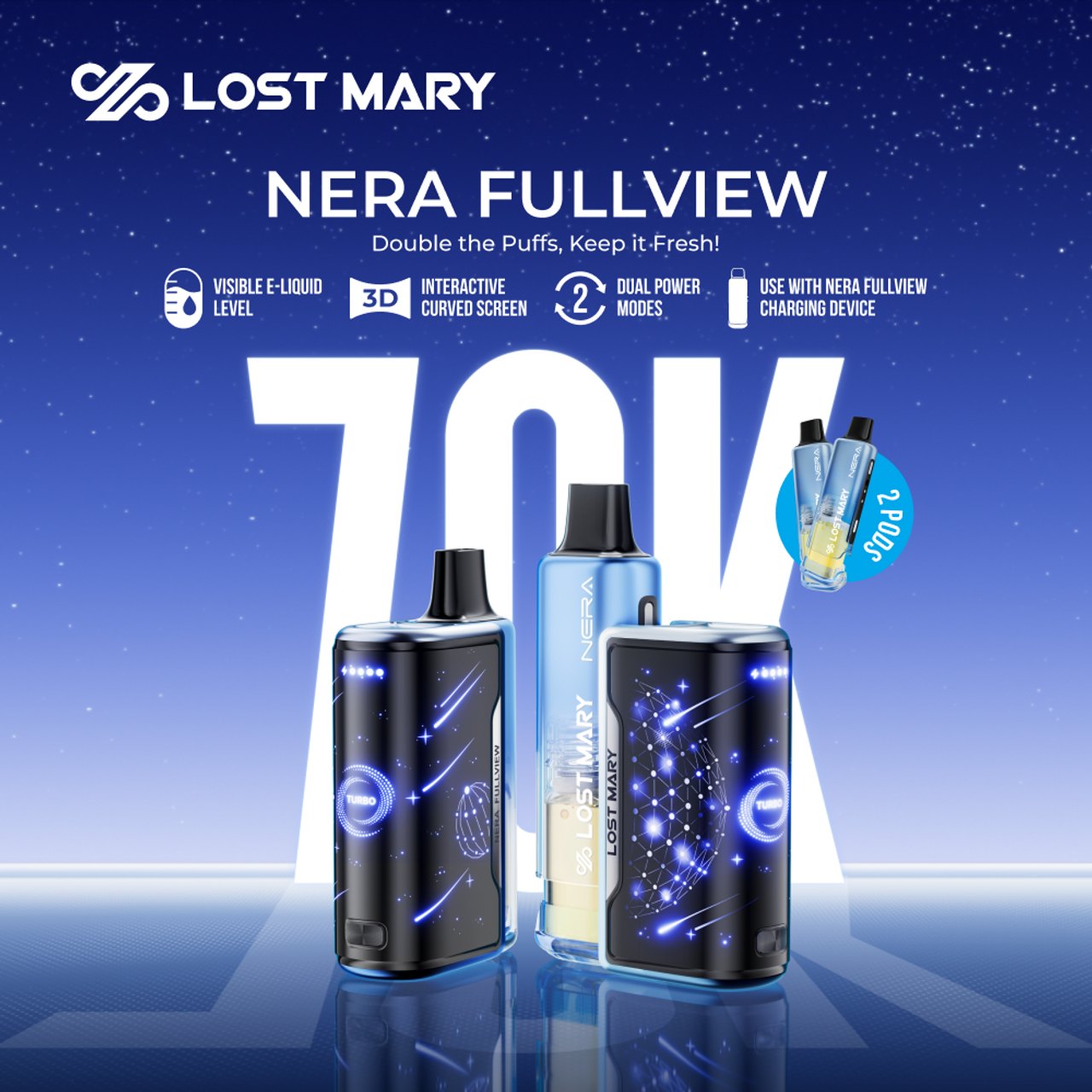
Screen-equipped models (MT35000 Turbo, MO20000 Pro, Nera Fullview 70K) give you text-based error messages. If the screen shows "Short Circuited," that's the coil or pod connection — not your fault, and it's fixable. If the screen flashes the battery icon rapidly, it needs charging. The screen removes guesswork because you can read actual battery percentage instead of interpreting colors.
LED-only models (Ultrasonic 35K, Quasar OS25000, MT15000 Turbo) rely entirely on color and blink-count patterns. Use the decoder tables above to identify the issue. LED models don't display error text, so the blink patterns are your only diagnostic tool.
Model-by-Model Blinking Guide
Each Lost Mary model has slightly different LED behavior. Here's the breakdown for every current device in the lineup.
MT35000 Turbo
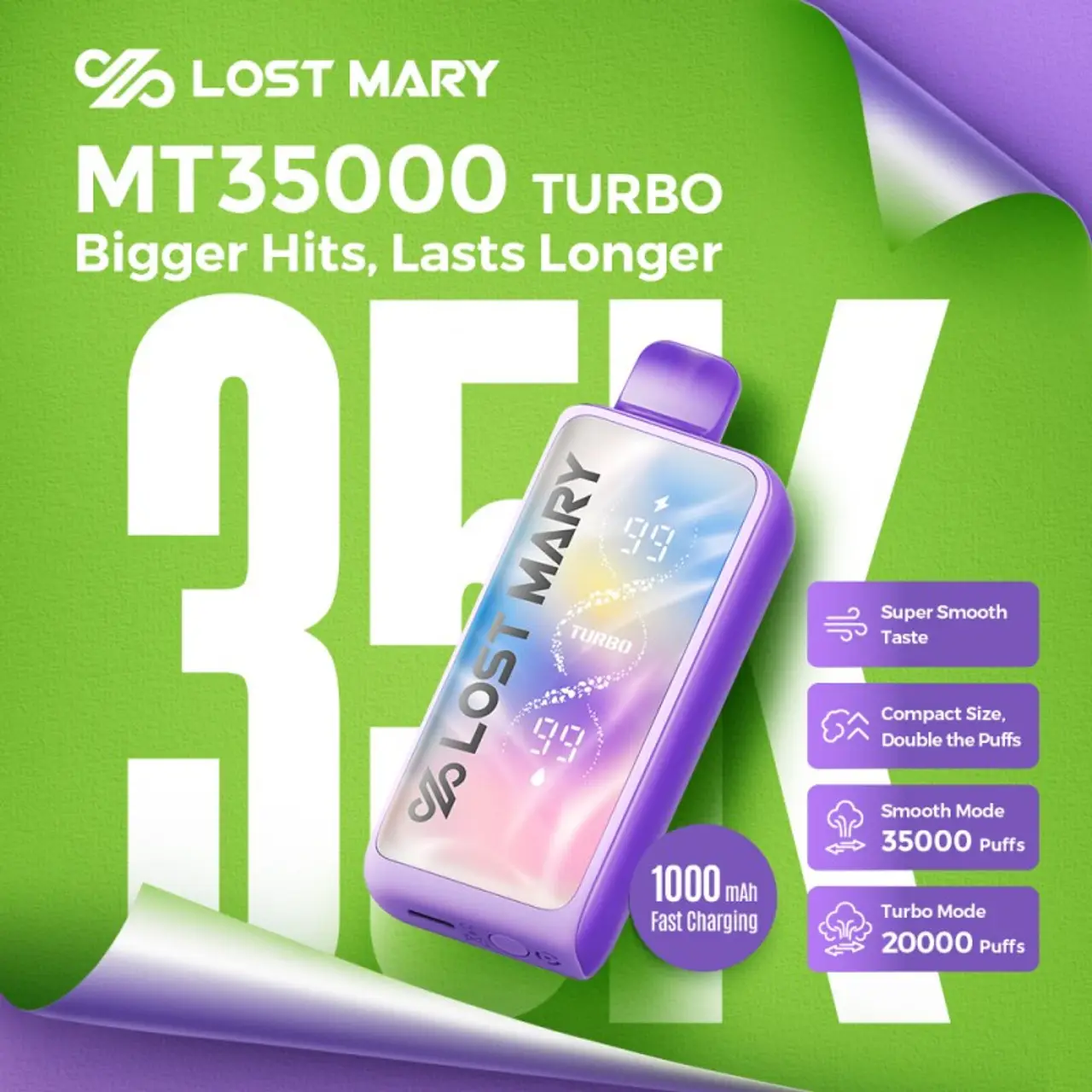
The MT35000 Turbo has both an LED display screen and an LED indicator ring. The screen shows battery percentage (0-100%) and total puff count. When the screen flashes or blinks, check what's displayed:
- Battery icon flashing: Below 5% — charge immediately
- "Short Circuited" text: Internal coil issue — try gentle taps on the bottom, or let it rest for 5 minutes
- Screen on but no vapor: E-liquid depleted. The 35,000 puff rating assumes 2-3 second draws. Heavier use = fewer total puffs.
- Screen completely blank: Dead battery or charging port issue
The MT35000 also has Turbo Mode and Smooth Mode. Turbo mode drains battery roughly 40% faster. If your MT35000 blinks red frequently, switch to Smooth Mode for longer battery life between charges. For a full review of this device, read our MT35000 Turbo hands-on review.
Nera Fullview 70K
The Nera Fullview 70K is a modular pod system — the only Lost Mary that uses replaceable pods. This means an additional failure point: the pod-to-device connection.
- 3 blinks on draw: Pod not seated properly. Remove the pod, check the gold contacts for e-liquid residue, wipe clean, and reinsert until you hear a click.
- Blinking while pod is removed: Normal — the device is telling you no pod is detected.
- Alternating colors after pod swap: The device is recognizing a new pod. Wait 3-5 seconds for it to initialize.
- Red blinking with a freshly charged battery: Bad pod. Try a different pod from your 2-pack. If you need replacements, grab a set of Nera Fullview 70K Replacement Pods.
Full details on this device: Nera Fullview 70K in-depth review.
Ultrasonic 35K
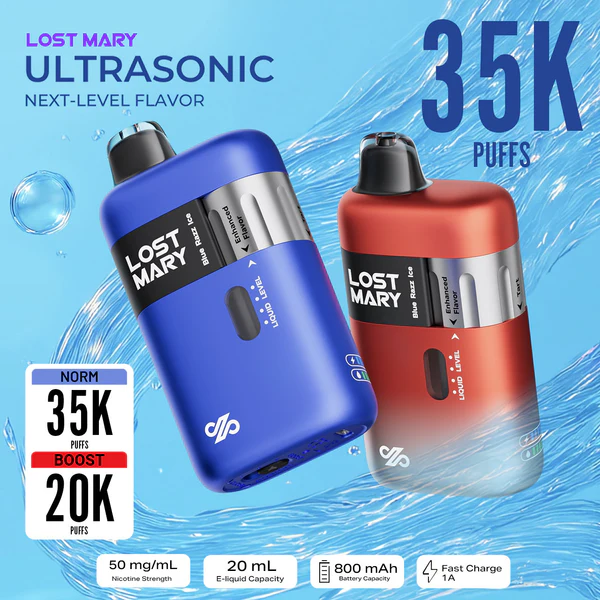
The Ultrasonic 35K uses ultrasonic atomization instead of a traditional coil. This is a fundamentally different technology — there's no heating coil to burn out, which means the "burnt taste" scenario doesn't apply to this model.
- Blinking red: Low battery. Standard USB-C charging, full charge in ~45 minutes.
- 3 blinks and stop: The ultrasonic element detected an issue. Because there's no coil, this is usually an air bubble trapped in the e-liquid chamber. Hold the device upside down for 10 seconds, then try again.
- Rapid blinking all colors: E-liquid fully depleted. The Ultrasonic 35K's ceramic atomizer stops vibrating when it can't detect liquid.
Read the full review: Lost Mary Ultrasonic 35000 Review.
MO20000 Pro
The MO20000 Pro has a small LED screen showing battery level. A common issue with this model:
- Screen shows "Short Circuited": This error appears more frequently on the MO20000 Pro than other models. It's usually caused by e-liquid leaking onto the internal chipset. There's no user-serviceable fix. If it happens repeatedly, the device needs replacing.
- LED ring blinks but screen is off: The screen has failed but the vape still works. This is an annoying but non-critical issue — you just lose the battery readout.
Quasar OS25000
The Quasar OS25000 uses an LED light strip rather than a screen. The light strip runs along the device body and acts as both a battery indicator and an activation indicator.
- Full strip lights up green on draw: Battery above 60%
- Partial strip lights up blue: Battery between 20-60%
- Strip blinks red: Below 20%, charge soon
- Strip flashes rapidly then nothing: Puff sensor issue or e-liquid depleted
MT15000 Turbo
The MT15000 Turbo is the most straightforward model in the lineup. Single LED indicator, standard red/blue/green color coding.
- Red blinking on draw: Charge it. This model has the smallest battery in the Turbo series.
- No light at all on draw: Either completely dead or e-liquid depleted. If charging doesn't bring it back, it's done.
- Thermal Edition models: The LED doubles as a temperature-reactive color indicator. Colors may shift during use — this is cosmetic, not diagnostic.
When to Replace Your Lost Mary
Not every blinking issue is fixable. Here are the clear signs that your Lost Mary has reached end of life:
- Red blink loop after full charge: Battery cell has degraded beyond recovery.
- Burnt or metallic taste: Coil is done. On disposables, this means the device is done.
- No vapor with any light color: E-liquid is depleted. Check the juice window.
- "Short Circuited" error that won't clear: Internal damage, usually from liquid ingress.
- Repeated 3-blink shutoffs after pod cleaning (Nera Fullview): Pod or device contacts may be permanently damaged.
When it's time, dispose of your old device responsibly. Lithium-ion batteries should not go in regular trash — the EPA recommends using certified battery recycling drop-off points at retailers like Best Buy, Home Depot, or Staples. Many vape shops also accept used devices for recycling.
New to Lost Mary devices? Check out our complete beginner's guide on how to use a Lost Mary vape for setup, modes, and charging tips.
Ready for Your Next Lost Mary?
Browse the full collection — from the 15K-puff MT15000 to the 70K-puff Nera Fullview. All genuine, all shipped from our Moreno Valley, CA warehouse.
Explore All Flavors